

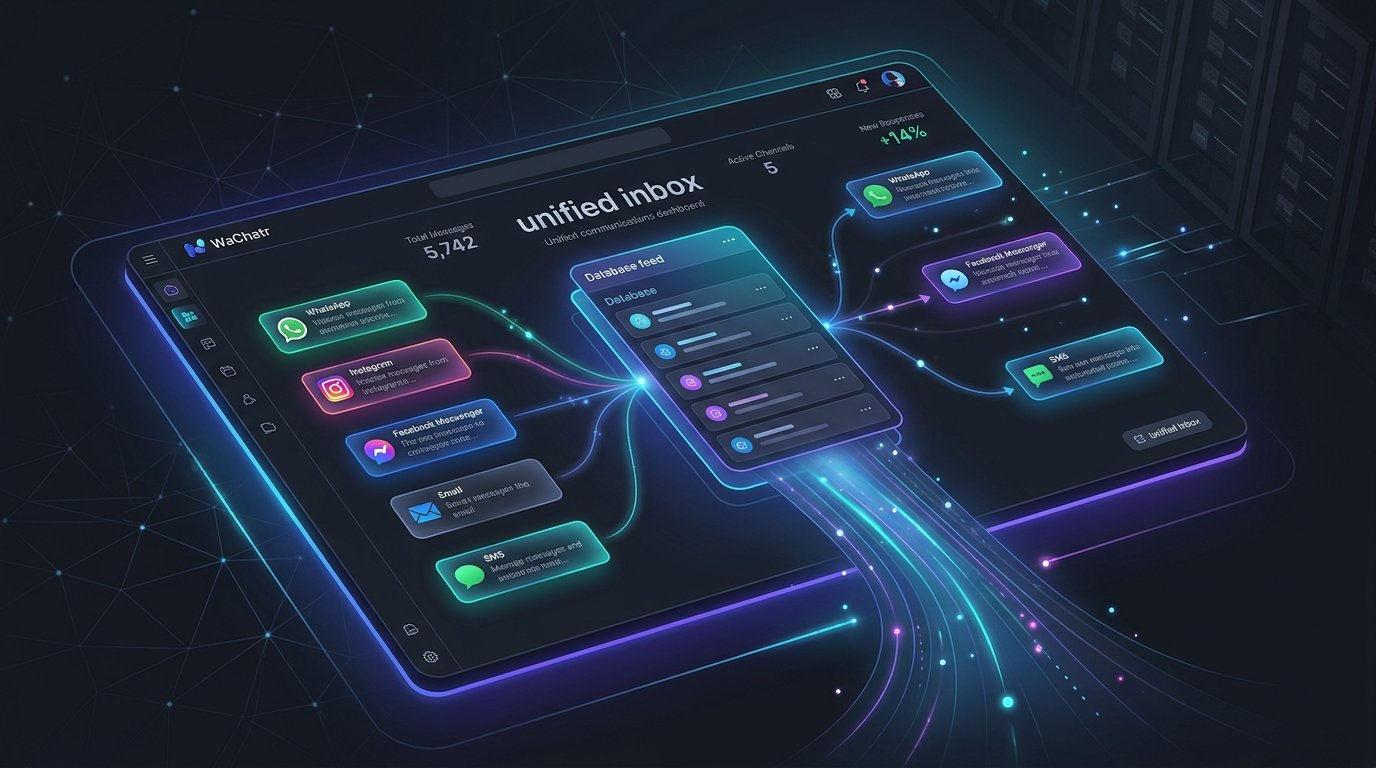
Multi-channel customer acquisition is standard practice for modern digital operations. We run Facebook ads, sync leads to Google Sheets, message prospects on WhatsApp, follow up on Instagram DMs, answer emails, and send transactional SMS notifications. The operational friction of juggling these interfaces is high. When support and sales teams switch between five separate browser tabs, response times decay. In digital sales, a 15-minute delay in replying to a Meta lead form submission can decrease conversion rates by over 50%. To resolve this, companies need a WhatsApp-first customer communication hub that centralizes channels and automates initial client triage.
What is WaChatr?
WaChatr (available at app.wachatr.com) is a WhatsApp-first 5-in-1 unified inbox software designed to consolidate client interactions across five core channels—WhatsApp, Instagram, Facebook Messenger, Email, and SMS—into a single web dashboard. Rather than using disconnected applications or setting up brittle webhooks via middleware platforms, teams use WaChatr to centralize inbound queues, run first-line conversational AI automations, and track outcomes directly through to close.
Core Architecture of the 5-in-1 Unified Dashboard
WaChatr’s core system architecture routes messaging traffic from different APIs into a single stream. The platform handles:
- WhatsApp Business API integration: Supporting template messages, interactive list buttons, and rich media.
- Meta Graph API hooks: Injecting Instagram Direct Messages and Facebook page messages into the main chat window.
- SMTP/IMAP protocol syncing: Parsing inbound emails as active chat threads and sending outbound emails natively from the dashboard.
- SMS Gateway links: Interfacing with local SMS service providers for direct mobile text fallback.
This consolidation eliminates the API rate limit overlaps and cookie expiration issues common in multi-tab setups.
Direct Integrations: Shopify, WooCommerce, Google Sheets, and Meta Ads
Many team communication setups rely on third-party automation tools like Zapier or Make to pass data between their customer relations management systems and their messaging apps. This introduces points of failure, lag times, and scaling costs. WaChatr resolves this with built-in, direct integrations:
- Meta Ad Lead Forms: When a user submits a lead form on Facebook or Instagram, the payload is pushed directly to the dashboard, spawning a chat thread and triggering the AI auto-responder.
- Shopify & WooCommerce: Customer purchase events, abandoned cart triggers, and shipping updates sync directly, pulling context (such as past order history and lifetime value) right alongside the active conversation window.
- Google Sheets: Data from conversations or lead profiles can be synced in real-time to spreadsheet rows for offline analysis.
Technical Walkthrough: WooCommerce Webhook Payload Configuration
To connect WooCommerce to WaChatr, you configure a standard webhook pointing to WaChatr’s receiver endpoint. Below is a typical payload pattern that WaChatr parses to enrich the conversation interface:
{
  "id": 8945,
  "status": "processing",
  "currency": "USD",
  "total": "129.00",
  "billing": {
    "first_name": "Alexander",
    "last_name": "Wright",
    "email": "alex.wright@example.com",
    "phone": "+14155552671"
  },
  "line_items": [
    {
      "id": 12,
      "name": "Cloud Native Architecture Blueprint",
      "product_id": 402,
      "quantity": 1,
      "price": "129.00"
    }
  ]
}
Once parsed, the customer support representative sees exactly what product Alexander purchased without leaving the chat thread, enabling precise, context-aware communication.
Deploying AI-Driven First-Line Replies with Human-in-the-Loop Override
AI agents excel at handling repetitive first-line inquiries. If a user asks “Are you open on Sundays?” or “What is your refund policy?”, an AI model can resolve the query instantly. However, fully automated bots run the risk of hallucinating or ignoring nuances that require human negotiation. WaChatr structures this using a hybrid routing model (AI Auto-Reply with Human Override):
- Phase 1: Inbound Triage. An incoming message is scanned by WaChatr’s AI agent. Using a custom semantic index (based on your uploaded FAQs and documentation), the system generates a draft response.
- Phase 2: Instant Dispatch or Staging. For high-confidence matching, the AI sends the message immediately to ensure sub-second response times. For complex queries, it drafts the reply and stages it in the dashboard.
- Phase 3: Manual Intervention. Human agents can step in, modify the draft, or take over the thread with one click, pausing the AI automation for that contact for a custom cooldown period (e.g., 24 hours).
Code Snippet: Triggering WhatsApp Messages Natively via WaChatr API
For teams looking to integrate customized developer workflows, WaChatr exposes a REST API. You can initiate a WhatsApp template message programmatically using this cURL request:
curl -X POST "https://api.wachatr.com/v1/messages" \
  -H "Authorization: Bearer YOUR_API_SECRET_TOKEN" \
  -H "Content-Type: application/json" \
  -d '{
    "to": "+14155552671",
    "channel": "whatsapp",
    "type": "template",
    "template": {
      "name": "lead_follow_up_opt",
      "language": {
        "code": "en_US"
      },
      "components": [
        {
          "type": "body",
          "parameters": [
            {
              "type": "text",
              "text": "Alexander"
            }
          ]
        }
      ]
    }
  }'
This API structure allows developers to link custom databases or internal platforms directly to the messaging layer.
Outcome-Driven Tracking: Focusing on Conversion, Not Just Tickets
Traditional helpdesks assess support agents on “ticket resolution times.” While useful for general customer support, sales pipelines require an outcome-driven architecture. WaChatr’s dashboard treats every inbound conversation as an active pipeline deal. The tracking system enables:
- Custom Stage Pipelines: Move prospects from “Lead Captured” to “Qualified,” “Negotiation,” and “Closed Won.”
- No-Loss Fallbacks: If a prospect fails to respond to a quote within 4 hours, WaChatr automatically queues a gentle, personalized follow-up message on the channel they used last.
- Attribution Reporting: Track which marketing campaign (e.g., specific Facebook Ad sets) generated the highest number of closed sales conversations inside the platform.
By organizing threads as prospective deals, sales executives can stop toggling CRM tools and messaging interfaces, managing their entire pipeline from a single, WhatsApp-first window.
How to Get Started with app.wachatr.com
Setting up a unified workspace is a straightforward process:
- Register: Create an account at app.wachatr.com.
- Connect Channels: Scan the QR code to sync WhatsApp, and authenticate Meta accounts for Instagram and Facebook.
- Upload Knowledge Base: Input FAQ lists and product catalogs to train the AI auto-responder.
- Import Lead Sources: Connect your Meta Ads Account, WooCommerce Webhook, or Shopify Store.
Once these connections are active, incoming queries are routed instantly, ensuring every prospect receives a response within seconds, and human agents can intervene whenever necessary to close the deal.

